
How do I contact DIANA Chatbot if I have a complaint regarding my transaction? You can contact DIANA by following these steps:
1.Open the DANA app.
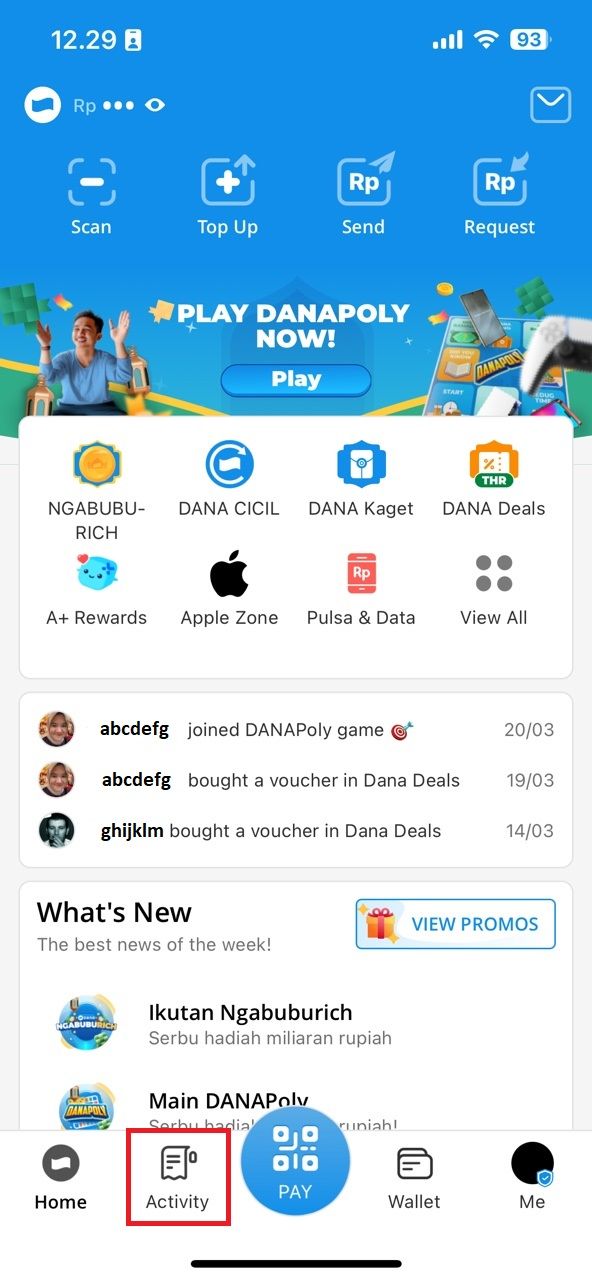
2.Tap the Activity menu.
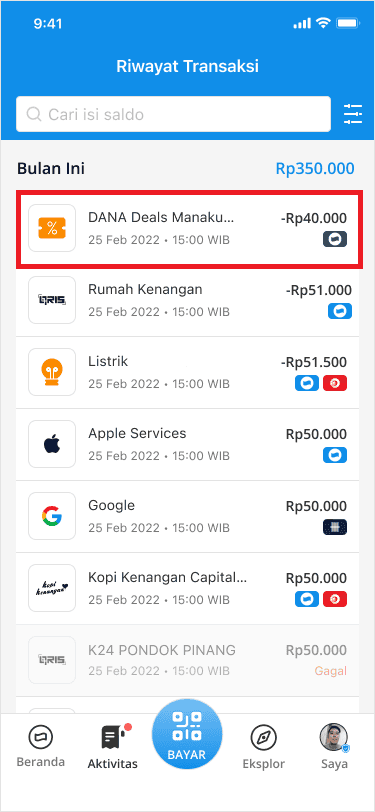
 3.Select the transaction you want to report.
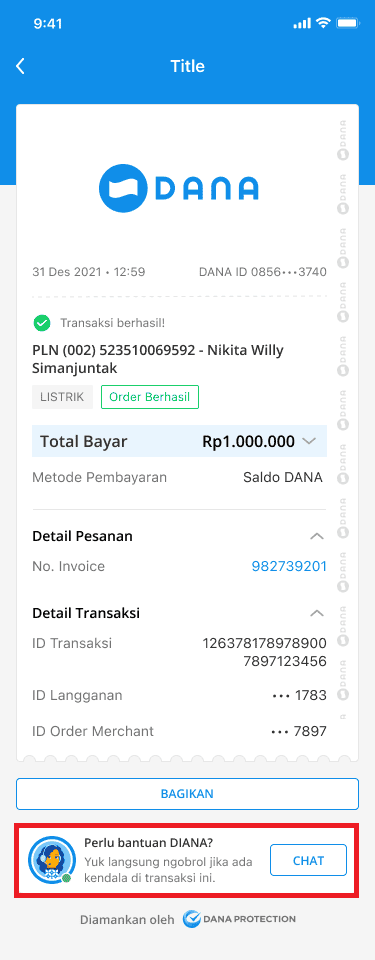
 4.Pay attention to the right side of the bottom corner.
5.Then, tap the CHAT button.
4.Pay attention to the right side of the bottom corner.
5.Then, tap the CHAT button.
How do I contact DIANA Chatbot if I have other complaints (PIN reset, change DANA number, etc.)? You can contact DIANA by following these steps:
1.Open the DANA app.
2.Tap the Me menu.
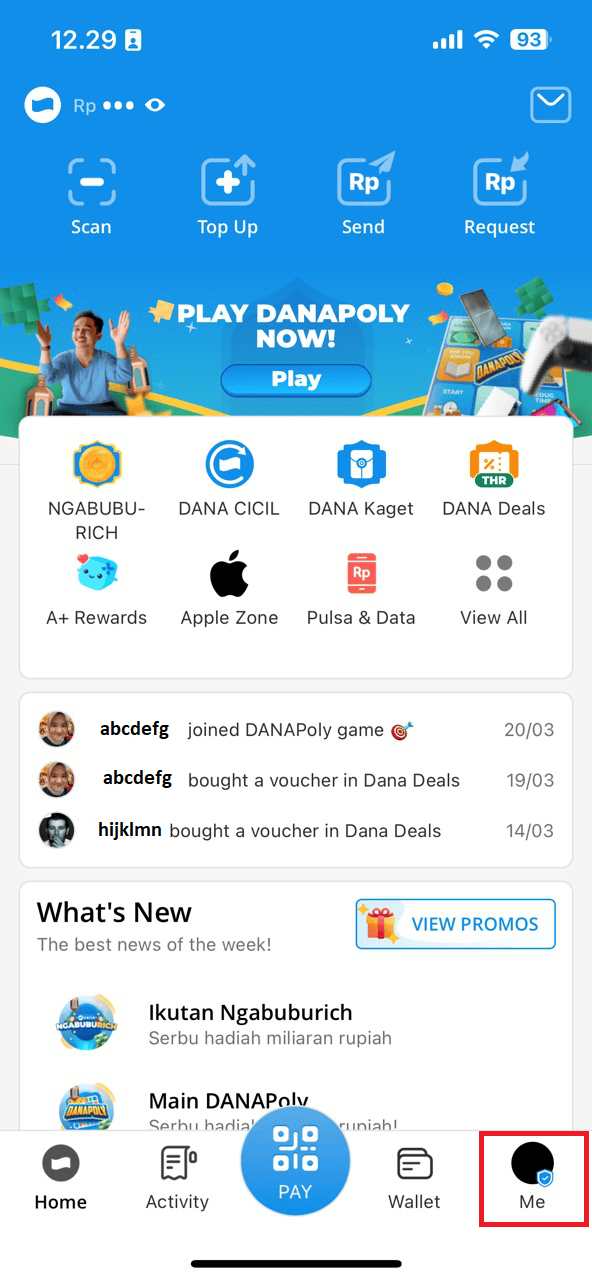 3.Tap DIANA.
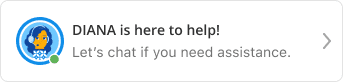 4.Then, choose the complaint you want to report or tap the CHAT button.
What if I have a complaint regarding DANA Premium registration? No worries, contact DIANA by following these steps:
1.Open the DANA app.
2.Tap the Me menu.
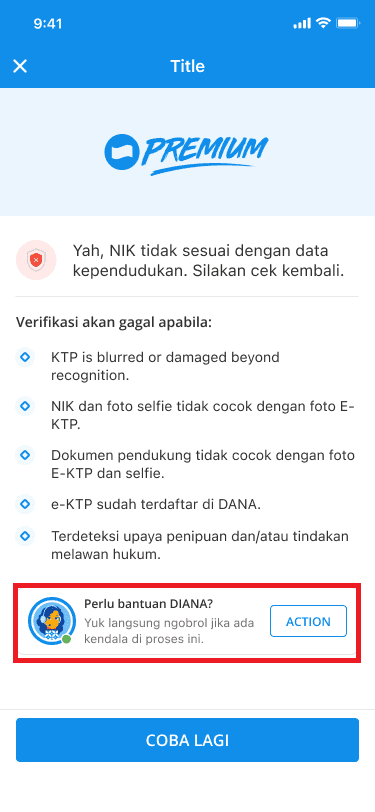
3.Tap the Reason Failed notification.
4.Then, tap the ACTION button for further assistance.
How do I check the progress of my report if I've filed a complaint on DIANA? You can check the progress of your report on DIANA by following these steps:
1.Open the DANA app.
2.Tap the Me menu.
3.Tap Help Center.
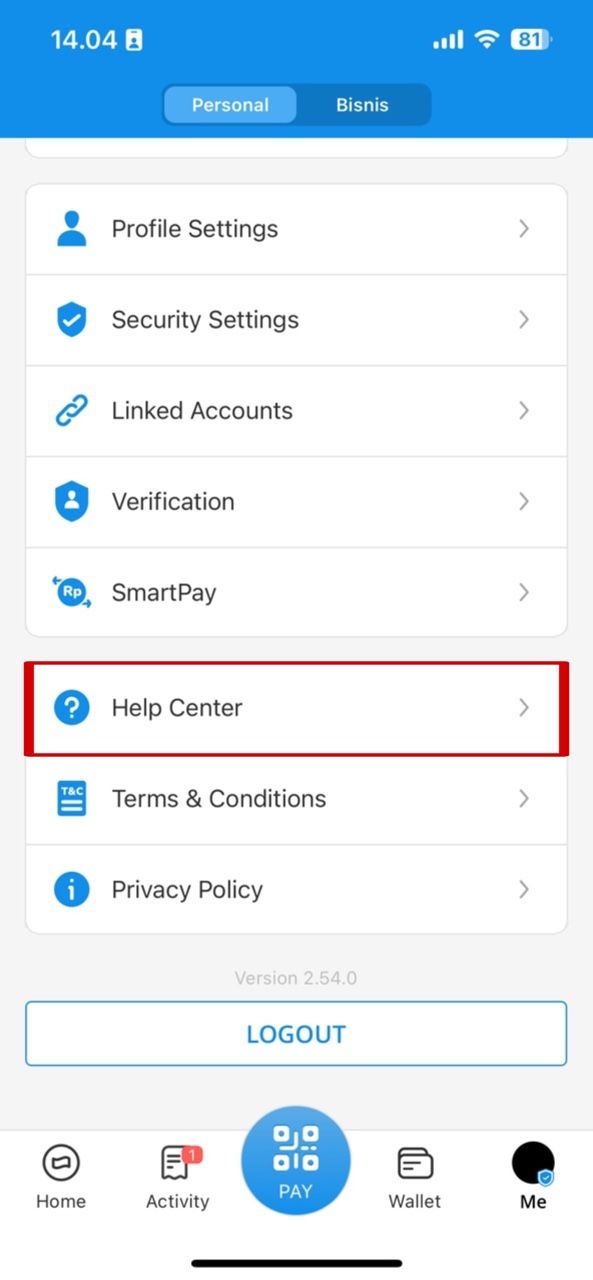 4.Tap View Other Tickets.
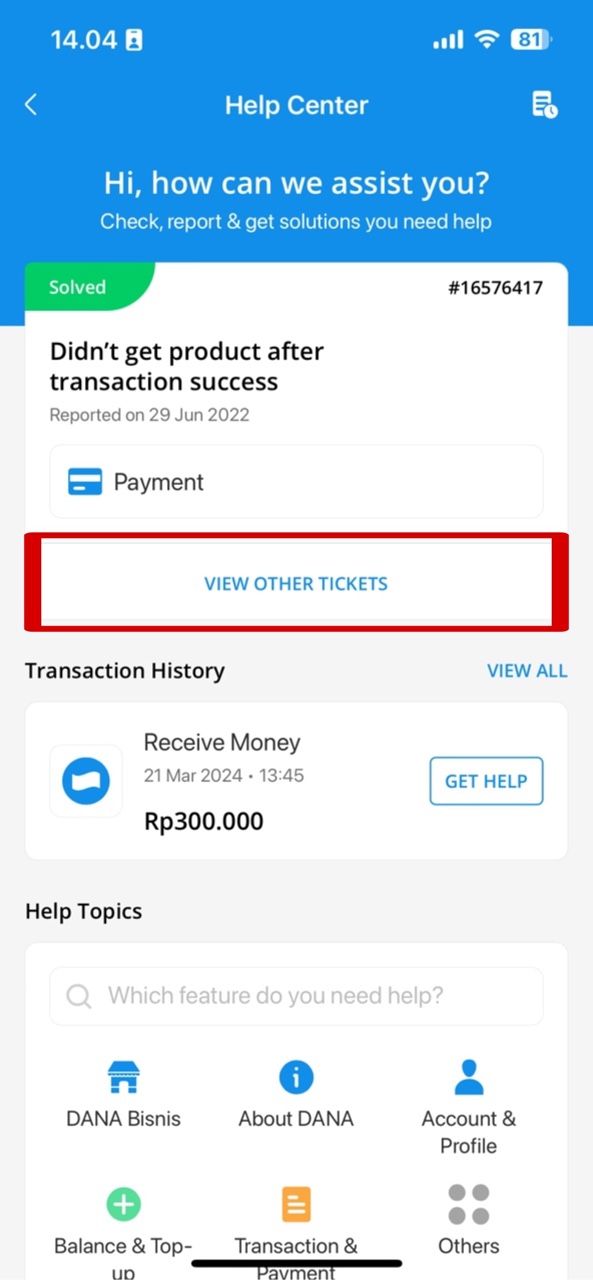 5.Then, choose the report for which you want to check the progress.




